Designs your agent builds, your team finishes
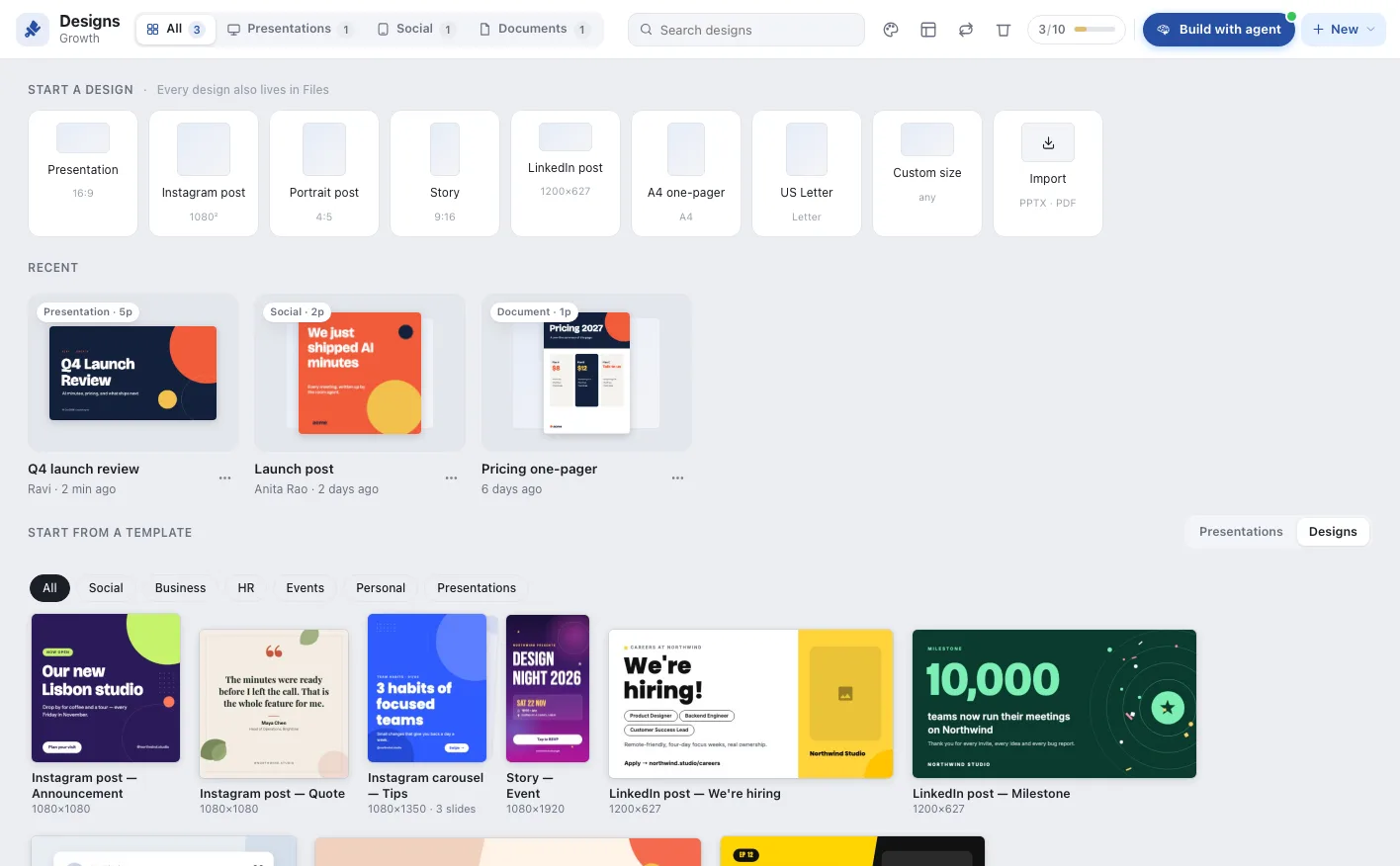
A full design editor in every agentic room. Ask for a launch deck, a social set, an offer letter or a poster, and the AI project manager builds it in your brand from the room’s meetings, notes and data. Every page it adds waits for a person to keep, change or discard.
Ma
Asking the agent…
You describe it. The agent designs it. Your team decides.
In Qik, design starts with the work the room has already done: the meetings, the notes, the numbers. The agent turns it into finished pages in minutes.
Describe it
Ask in a sentence, in the room. “A deck from today’s meeting.” “A hiring post for two roles.” The agent already knows the room’s minutes, notes and numbers.
The agent designs it
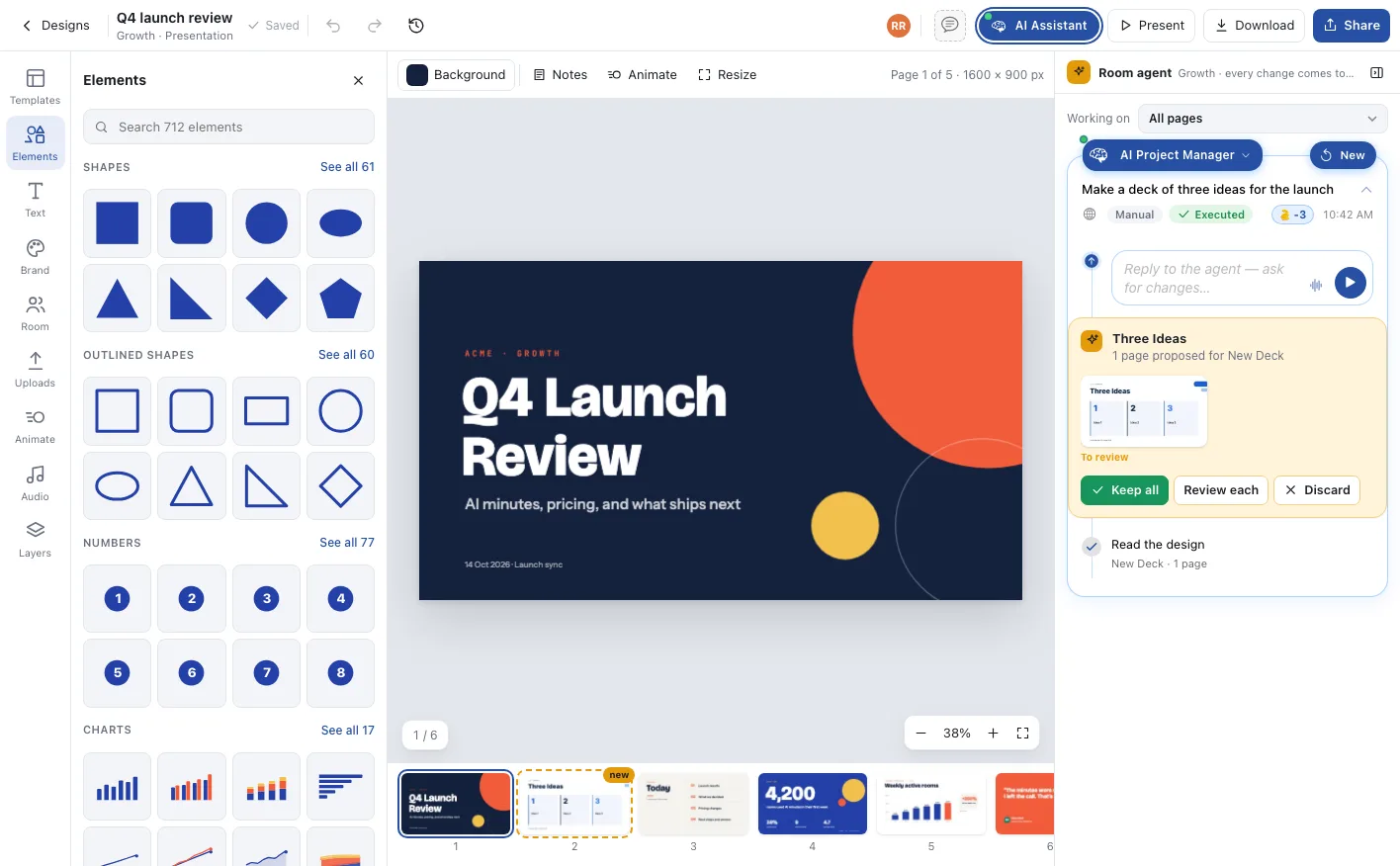
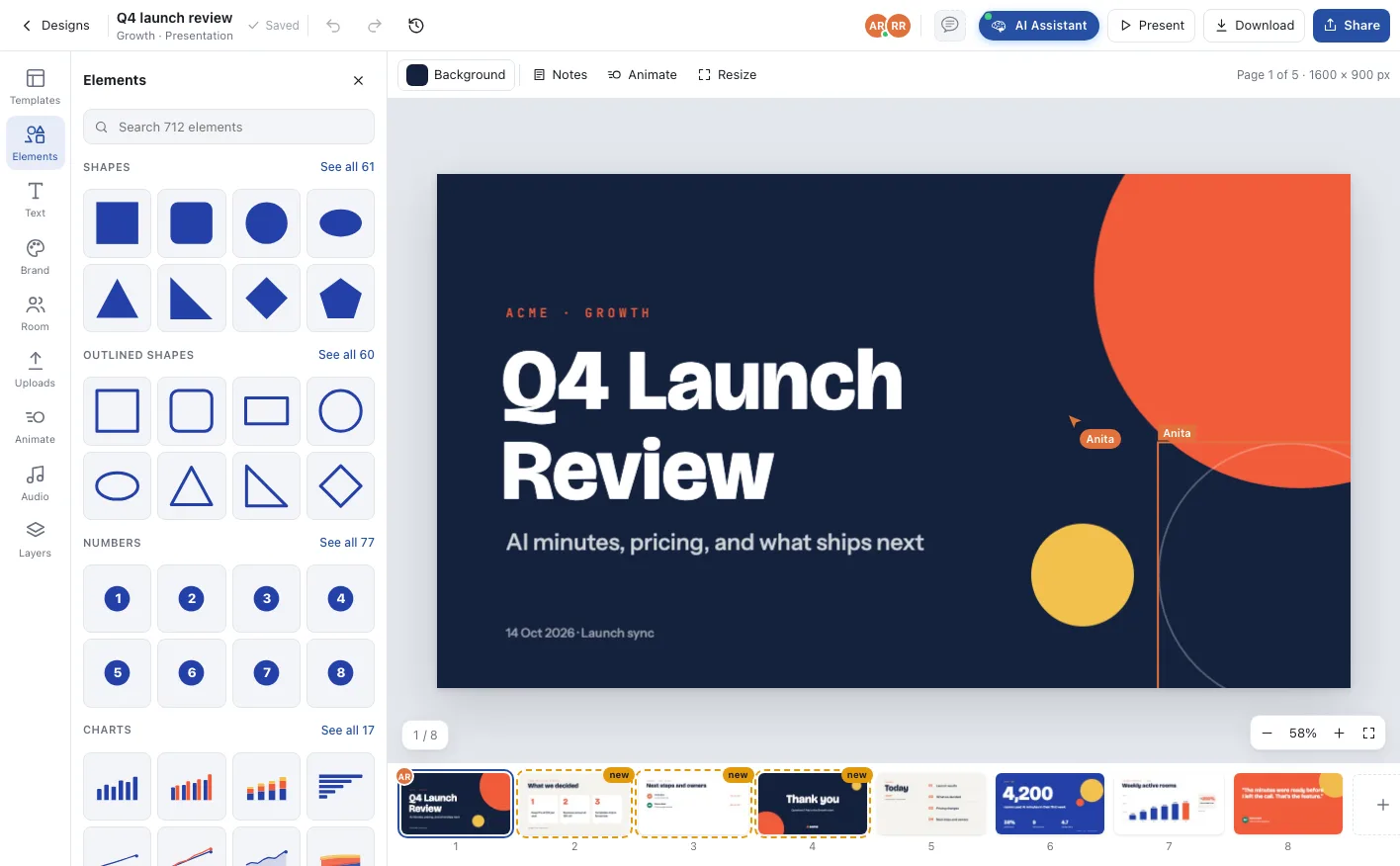
Real pages arrive in your brand, laid out and filled, each one marked new on the page strip, while teammates keep editing beside it.
People decide
Keep all, review each page, or discard. Hold to compare against the original. Nothing the agent makes is final until a person says so.
Everything your company makes, in one editor
Decks, social sets, letters, invoices, posters and certificates: the same editor, the same agent and the same brand, in every room.
12
presentation themes
37
ready templates
712
elements
17
live charts
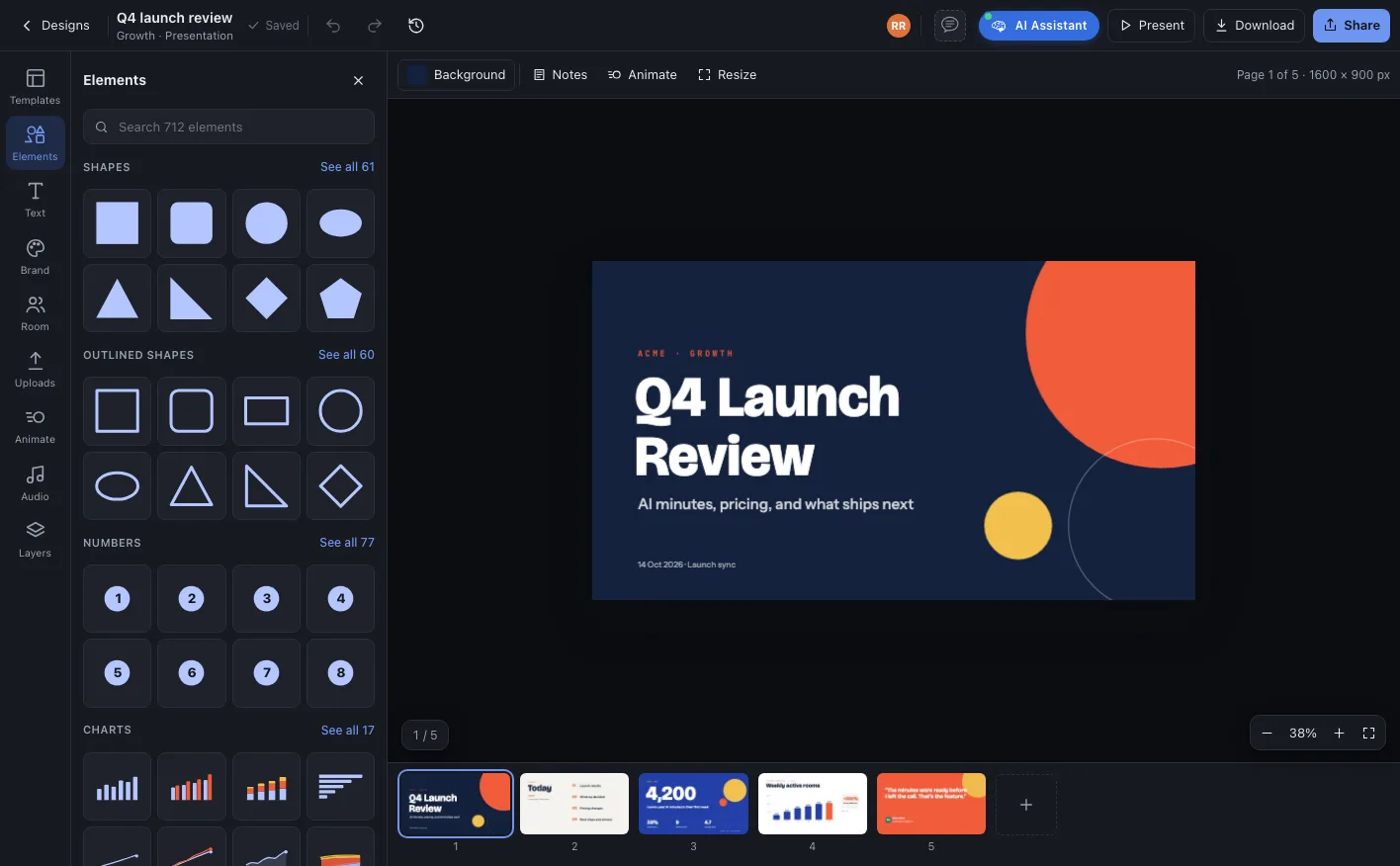
Presentations
Decks the agent writes from the room’s meetings and notes.
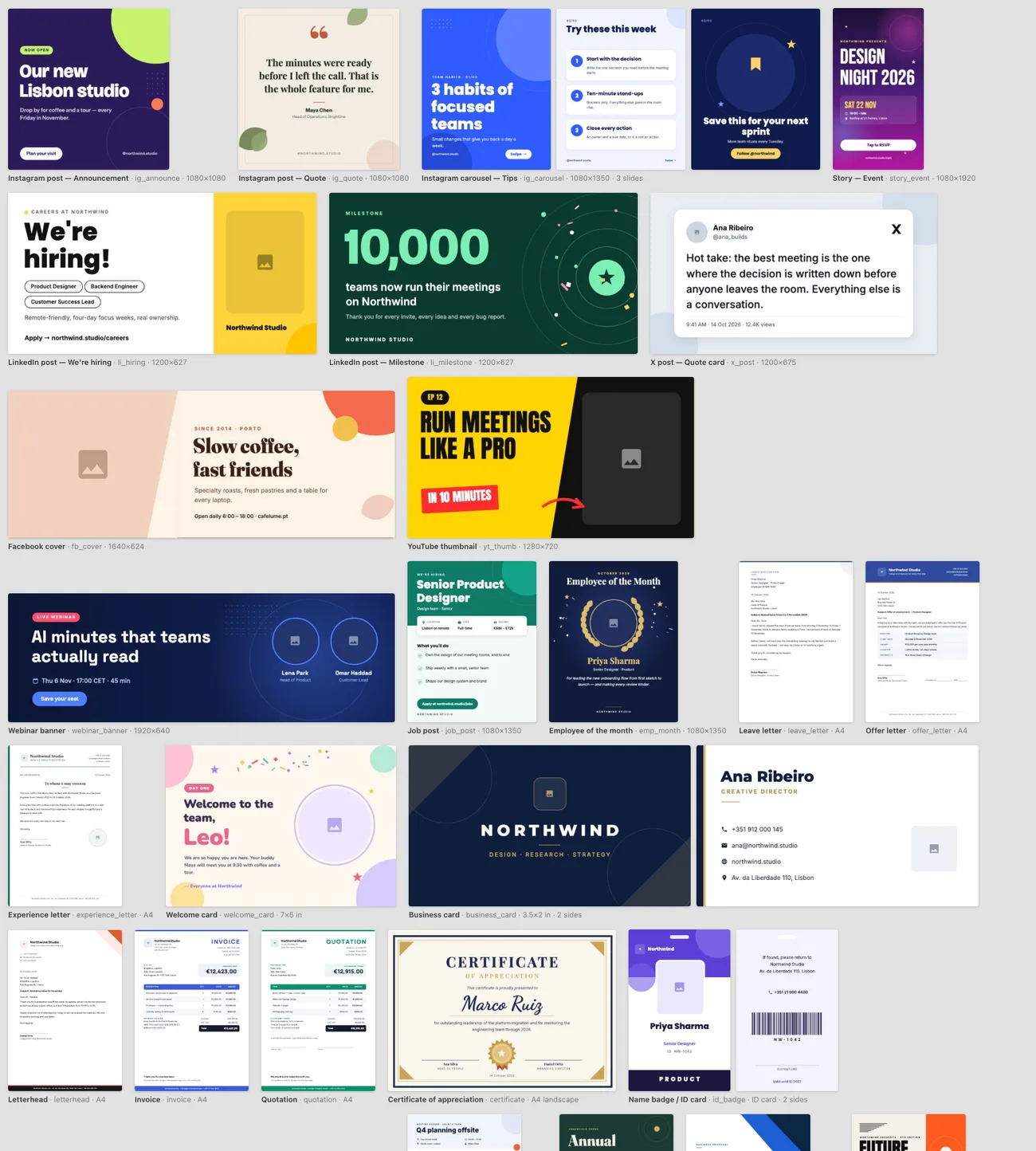
37 templates to start from
Social, business, HR, events and personal, each ready for the agent to fill.
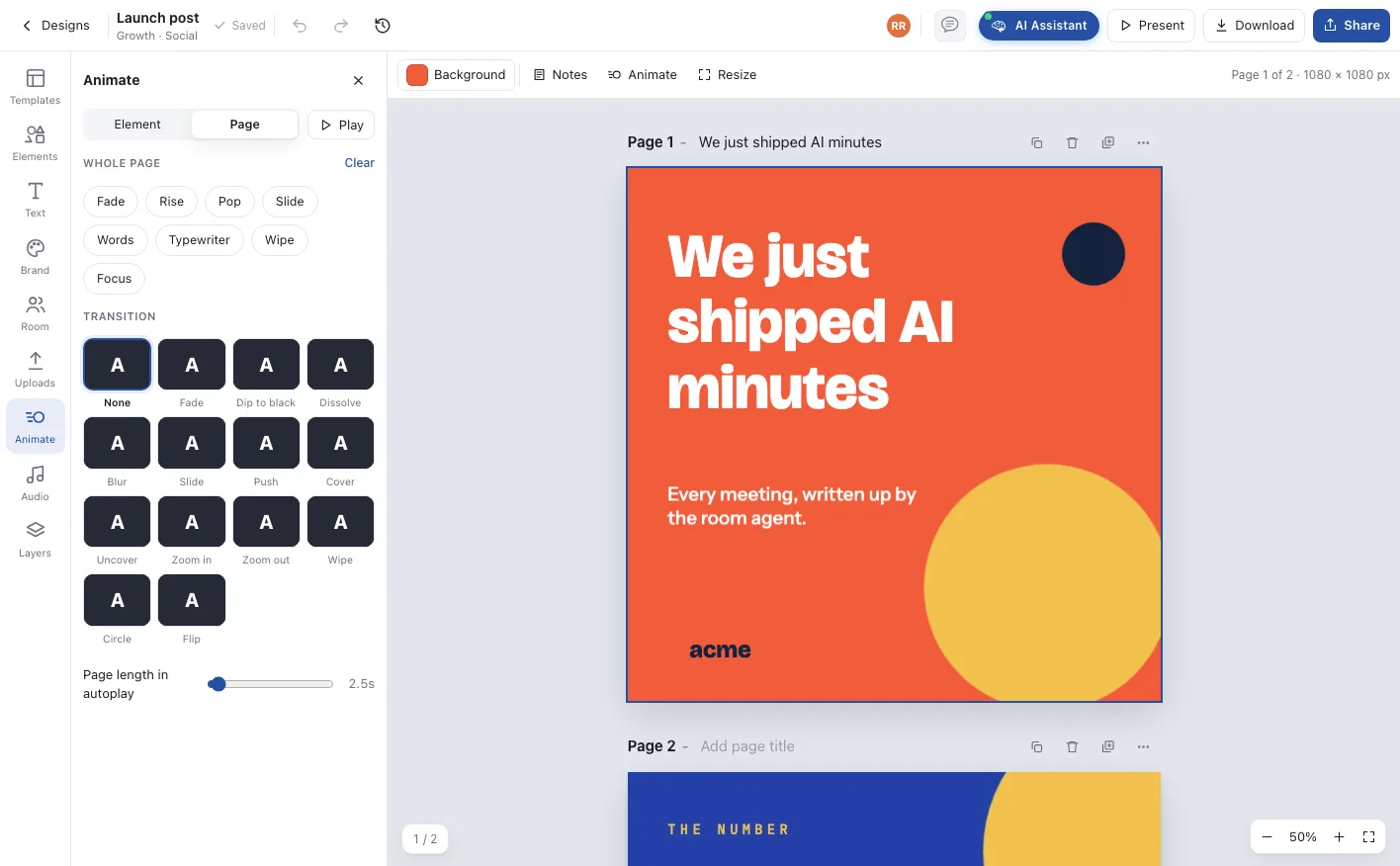
Social sets that move
Posts, carousels and stories with animation, transitions and generated music.
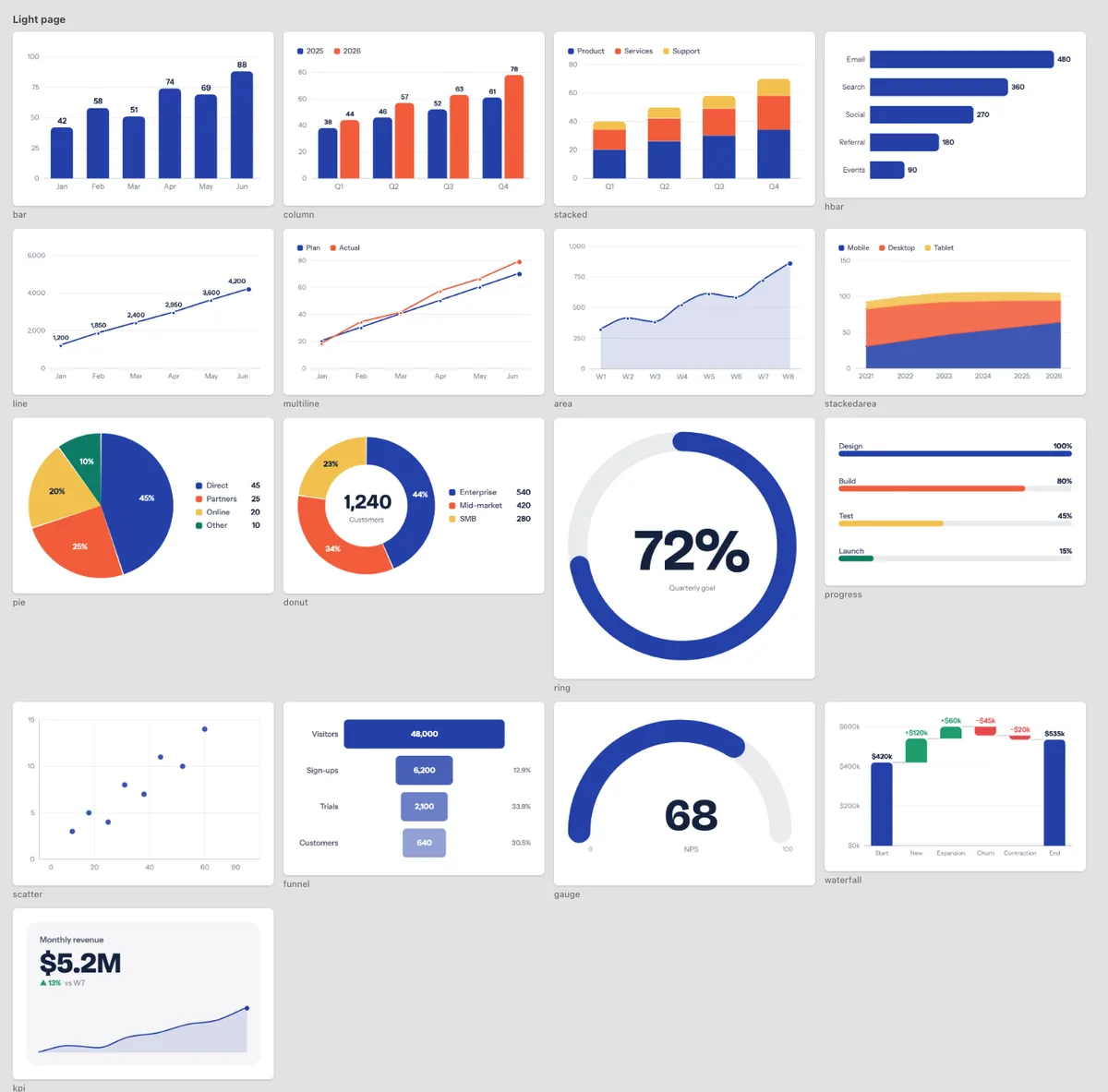
Charts from real numbers
Seventeen chart types, each with a data table you edit or paste into.
Present a design live in the meeting
From the Share window or the design's own Present icon, the design goes on the stage for everyone. It is not a video: each person's app draws it, sharp, and follows your page in Locked mode, or lets people look around in Free.
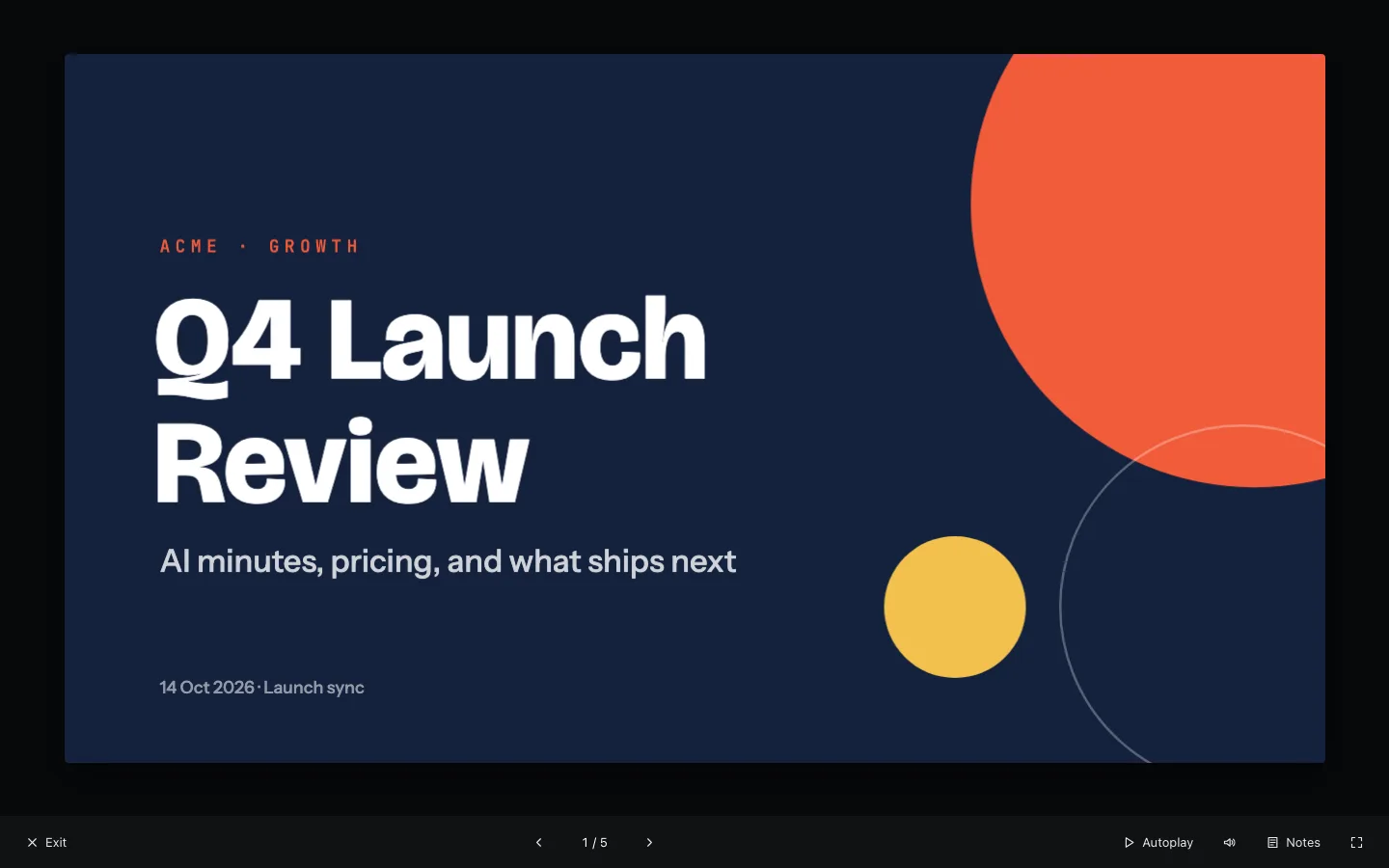
Q4 Launch Review
AI minutes, pricing and what ships next
Q4 Launch Review
AI minutes, pricing and what ships next
Locked: a clean presentation. Anika’s own app renders it, sharp, and follows every page and scroll.
Your company’s layouts, built on by every agent
Turn any design into a template whose pages are layouts with slots. Rooms add a layout as a page or start from the whole template, the agent fills the slots, and a new version reaches every room.
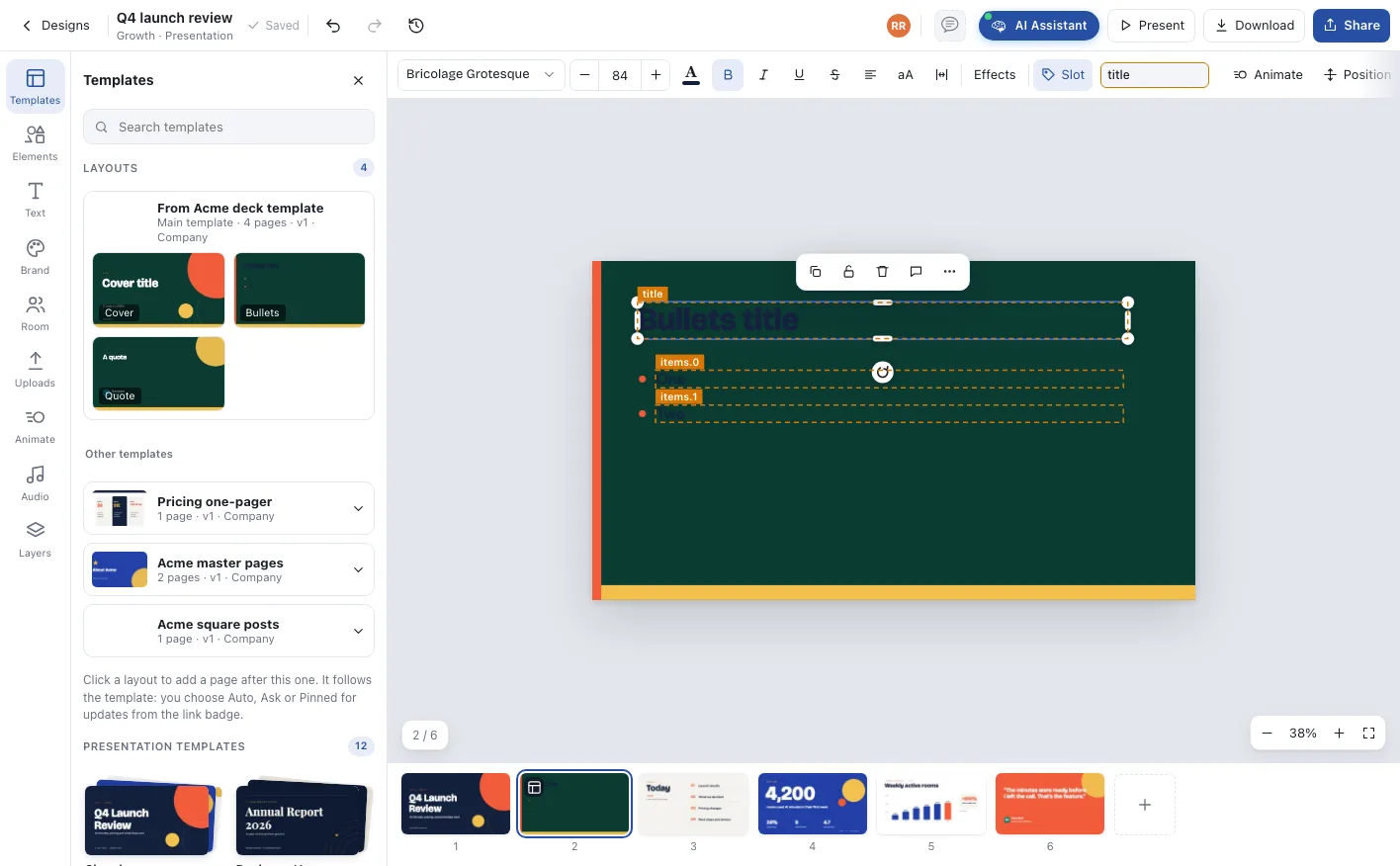
Layout pages with slots
Named places the agent and people fill; the rest is fixed design.
Company and department templates
Published to an audience, updated on every new version.
Propose as template
Any room can propose a design; design admins accept it.
Every page on brand, in every room
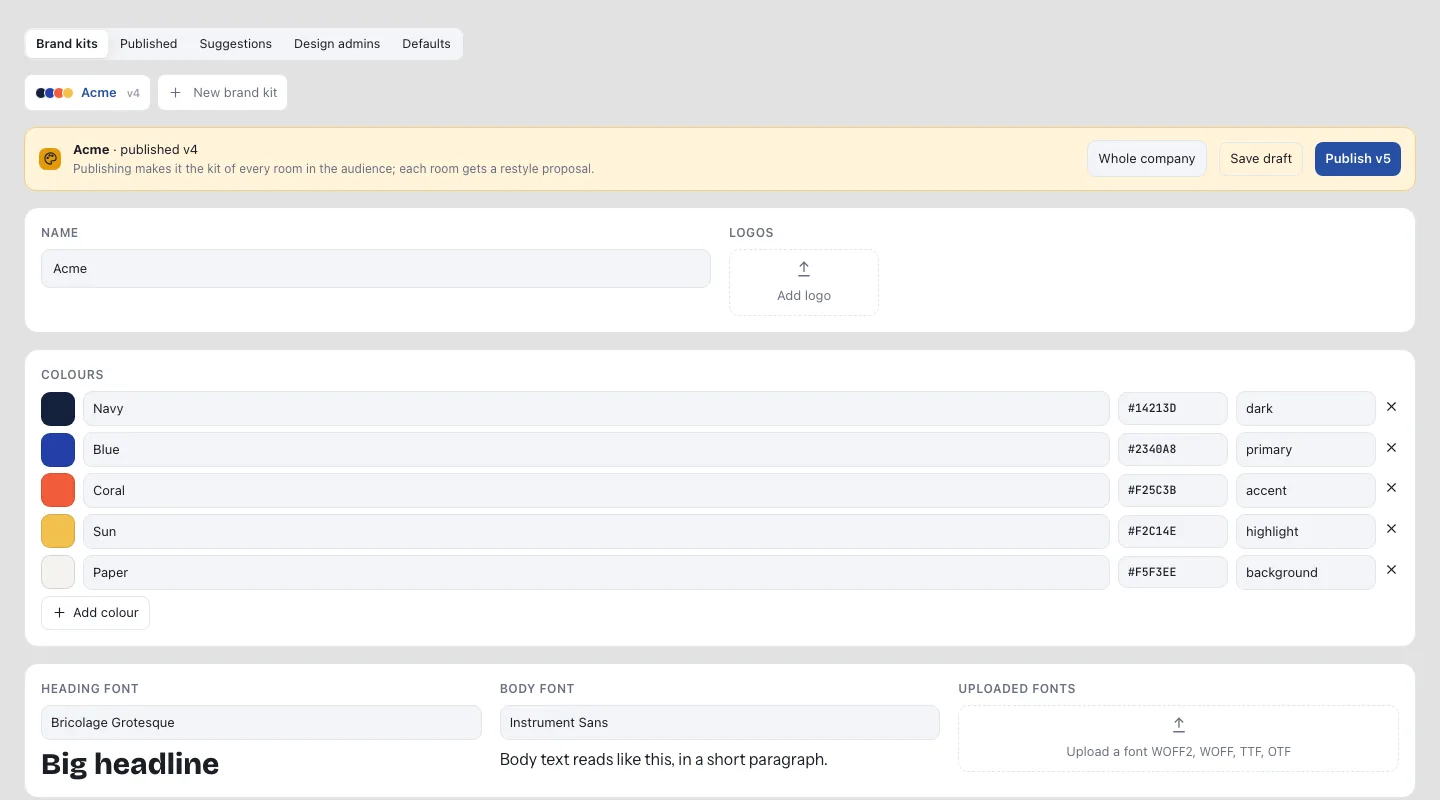
Colours with roles, fonts, logos, voice and rules, published to the company or departments. The agent designs with the kit, and each new version reaches every room as a proposal to accept.
Colours with roles
Primary, accent, highlight: the agent uses each where it belongs.
Brand locks
Kit colours and fonts only, a fixed logo, department kits on or off.
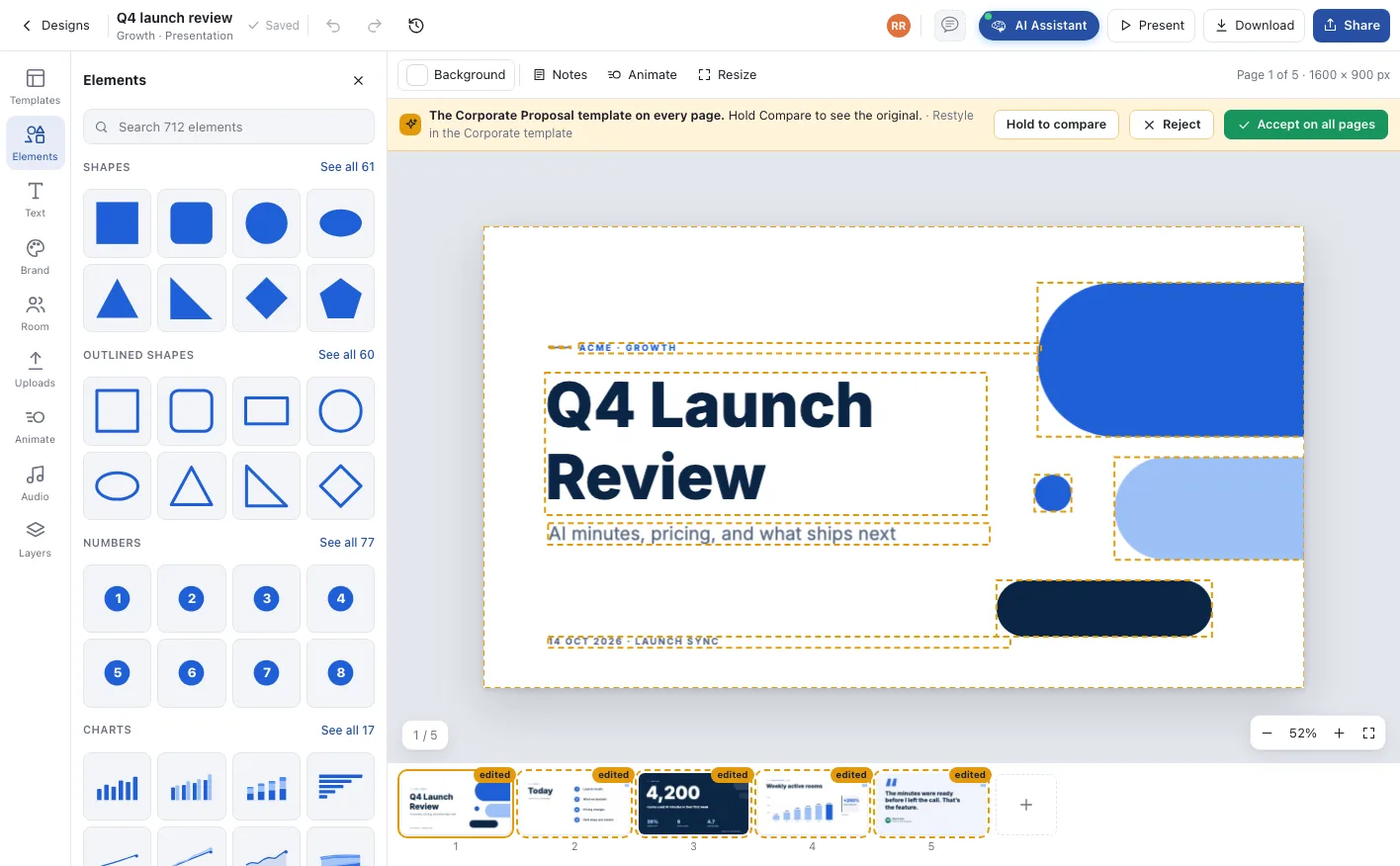
Restyle as a proposal
A new kit arrives in every room to accept on all pages.
Shared everywhere the work already is
Every design lives in the room that made it, in its Files, and anywhere you send it.
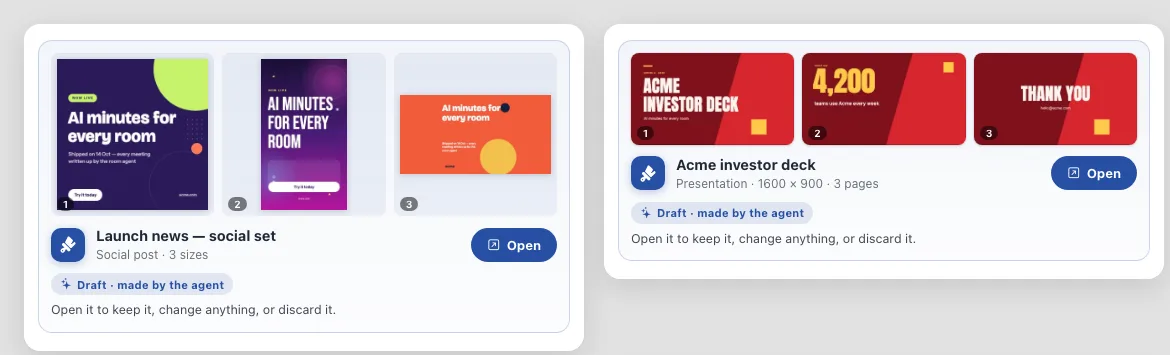
Drafts arrive as cards
What the agent makes shows up as a card in the room: open it to keep it, change anything or discard it.
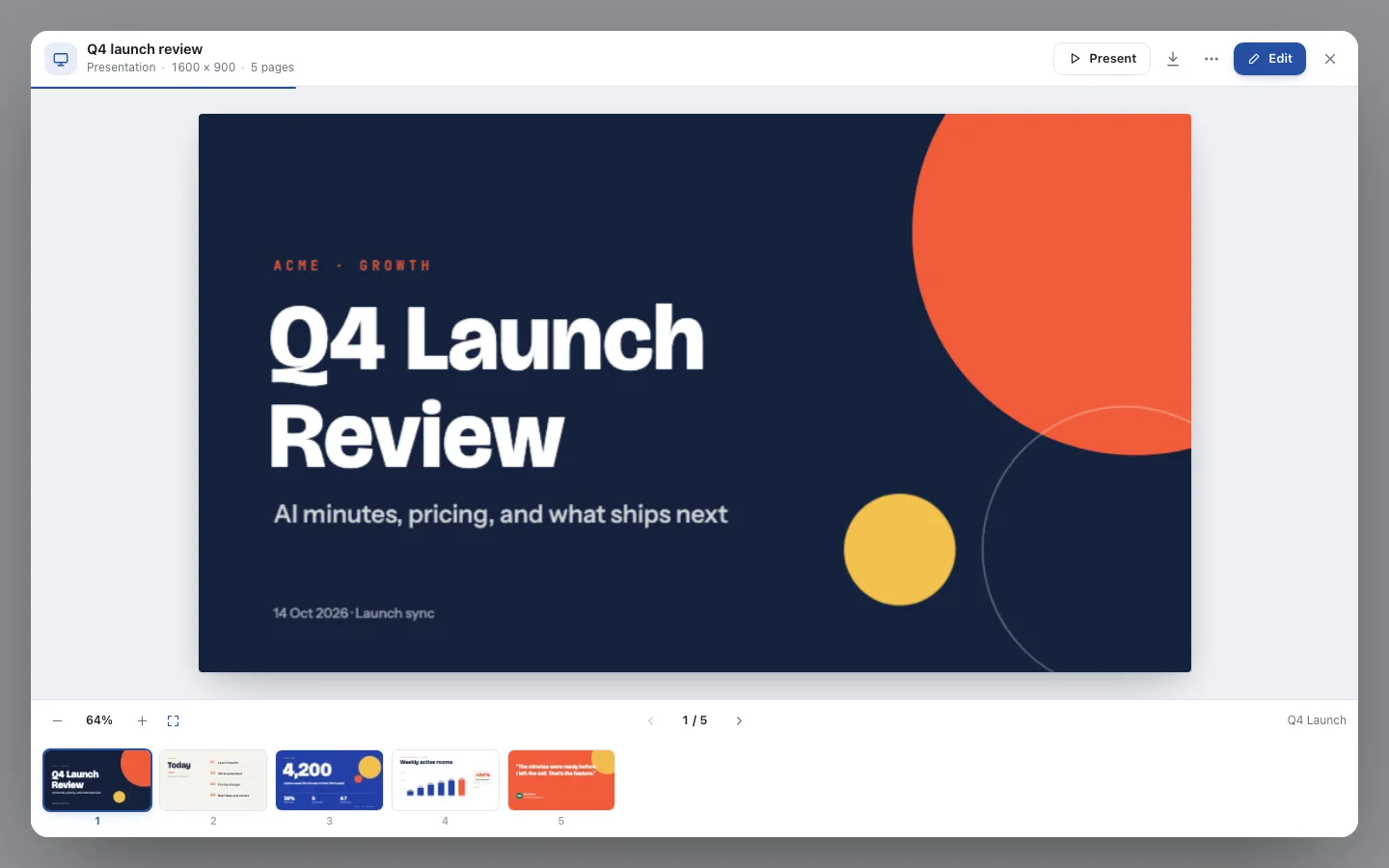
Opens wherever it is linked
Designs open in a viewer inside Notes and the knowledge base, Files, chat and announcements.
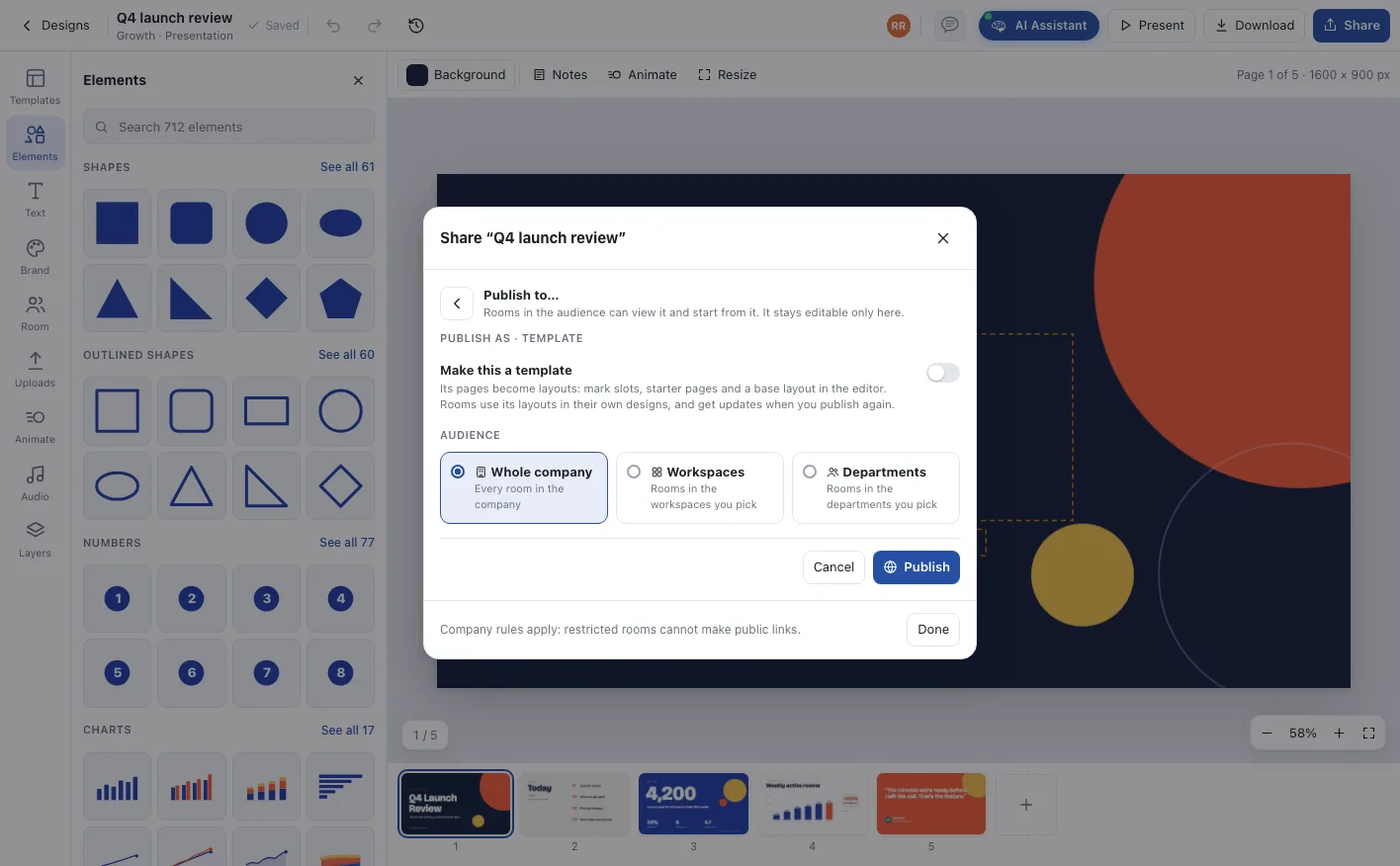
Share or publish
Share by link, or publish to the whole company, workspaces or departments, as a design or as a template.
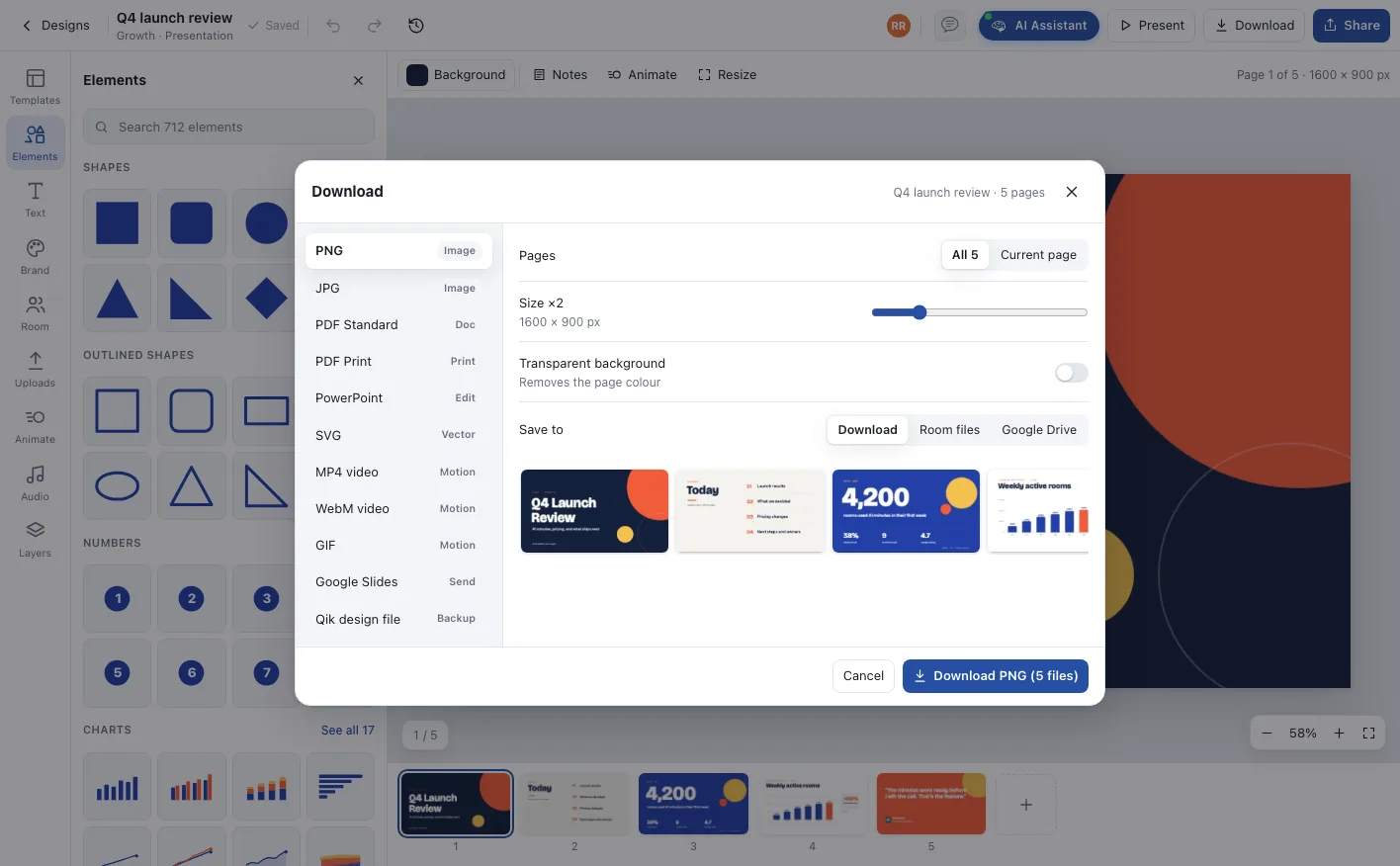
Download in any format
To your device, the room’s Files or Google Drive, page by page or all at once.
Teammates edit together with live cursors, leave comments on the page, and every version is kept in the history.
The agent designs, people decide
The room’s agent works inside the editor with the room’s full context, so a design starts from real work, and everything it makes arrives as a proposal for people to decide on.
- 01
Builds from the room
Ask in a sentence. The agent reads the room’s minutes, notes, tasks and files and writes real pages: the decisions, the numbers, the owners, already laid out.
- 02
Proposes, never overwrites
New and changed pages are marked on the page strip. Keep all, review each page, or discard, and hold Compare to see the original underneath.
- 03
Restyles in one request
Ask for a different template or your company brand and the agent restyles every page, keeping the content and the order exactly as they were.
Everything a design team expects, inside the room
The editor is built for the agent and for people at the same time, so a request and a fine adjustment happen in the same place.
12 themes, 37 templates
Presentation themes from Signal to Swiss Mono, plus social posts, HR letters, invoices, posters, cards and more, all ready for the agent to fill.
712 elements
Shapes, outlined shapes, numbers, icons, lines, arrows and badges, searchable from one panel and usable by the agent by name.
17 live charts
Bars, lines, donuts, funnels, gauges, waterfalls and KPI cards with data you edit in a table or paste from a spreadsheet.
Motion and sound
Enter and emphasis animations, page transitions, generated music and sound effects, played on the canvas and in present mode.
Designed together
Teammates edit at the same time with live cursors and soft locks, leave comments on the page, and every change is in the history.
Every format you need
PNG, JPG, PDF, print PDF, PowerPoint, SVG, MP4, GIF and Google Slides, saved to your device, the room’s Files or Google Drive.
From a request to a finished design
A design starts as a sentence in the room and ends where the room’s work lives.
Ask the agent
Describe the design in the room: a deck from today’s meeting, a hiring post, a letter for a new joiner.
It reads the room
The agent pulls the decisions, numbers and names from minutes, notes, tasks and files.
People review it
Pages arrive marked new. The team keeps, edits or discards them, and the design is saved in Files.
It goes out
Present it, share a link, post it to chat or an announcement, or export it to any format.
Who runs on Designs
A launch, in every size
One request turns the launch notes into a social set for Instagram, LinkedIn and X, a story, and a webinar banner, all in the brand kit.
Letters that write themselves
Offer, experience and welcome letters, job posts and employee-of-the-month cards, filled from the person and the role.
The board deck after the meeting
The agent turns the meeting’s minutes into a deck in the company template, with charts from the real numbers, ready for review.
One company, one office, one shared state
Designs, answered
No. Describe what you want and the agent builds it in your brand. When you want to adjust something, the editor works like the design tools you already know.
Never. Every page the agent adds or changes is marked on the page strip and waits for a person to keep it, review it page by page, or discard it.
Company owners and design admins publish brand kits with colours, fonts, voice and rules to the whole company, chosen workspaces or departments. The agent designs with the kit, and a new kit arrives in each room as a restyle proposal.
In the room. Every design also appears in the room’s Files, opens inside Notes and the knowledge base, and can be shared to chat, announcements or by link.
Every plan can explore Designs, with a set number of designs per room and per company. AI Office Pro raises those limits, and agent work uses agent credits.
Deploy AI project managers across your office
Unlimited agentic rooms and AI project managers on every plan. Start free, or walk through your office with us.