Your company’s templates, built on by every agent
Turn any design into a template whose pages are layouts with slots. Rooms add a layout as a new page, start a whole design from it, and the agent writes into the slots, so every deck and post looks like your company made it.
Add an agenda page and a clo
Asking the agent…
Layouts, slots and a base that holds them together
Any design can become a template. Mark the slots, choose the base layout and the starter pages, and publish it.
01
Layout pages
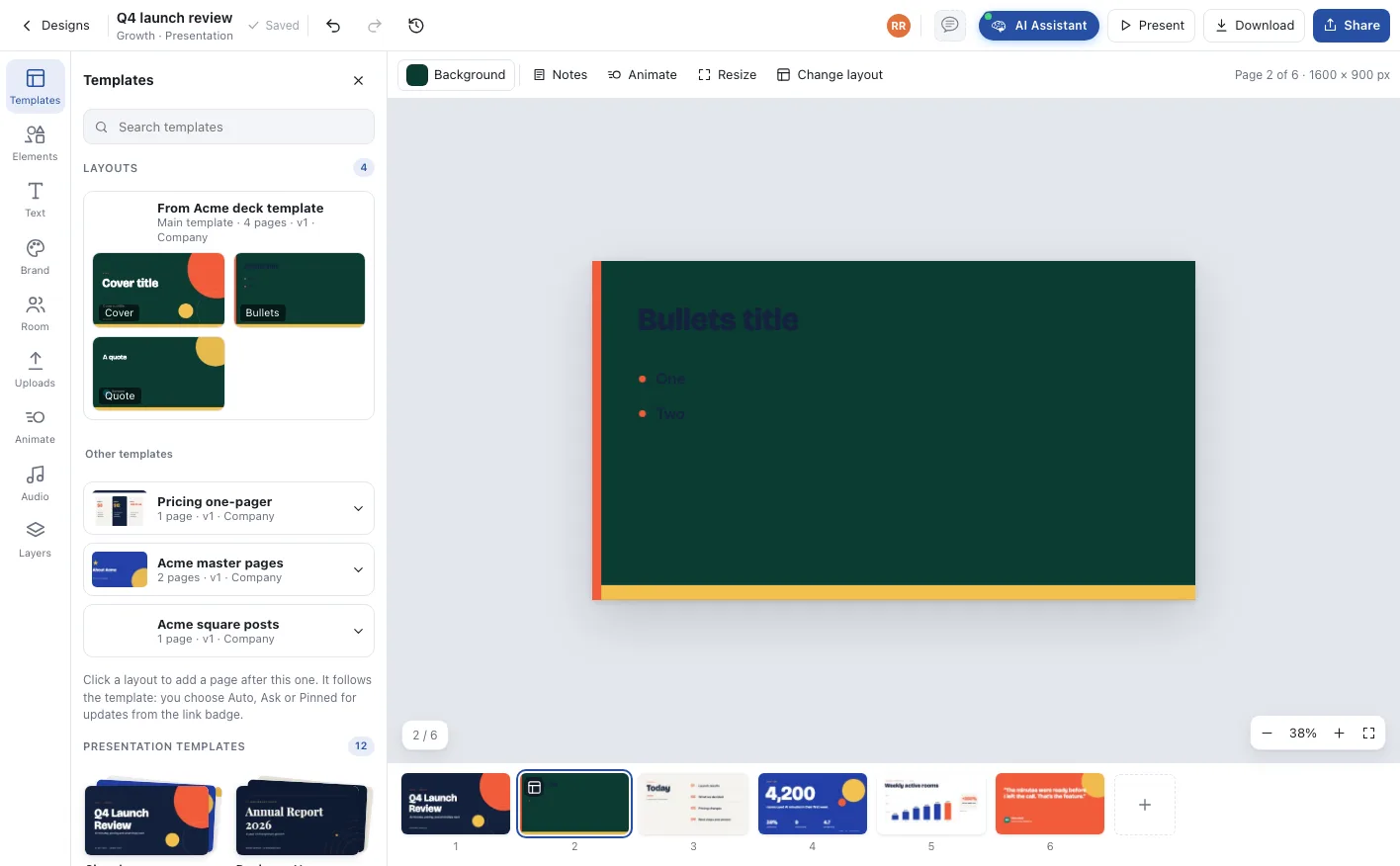
Each page of the template is a layout: cover, agenda, bullets, quote. Rooms add one at a time or start from the starter pages.
02
Slots
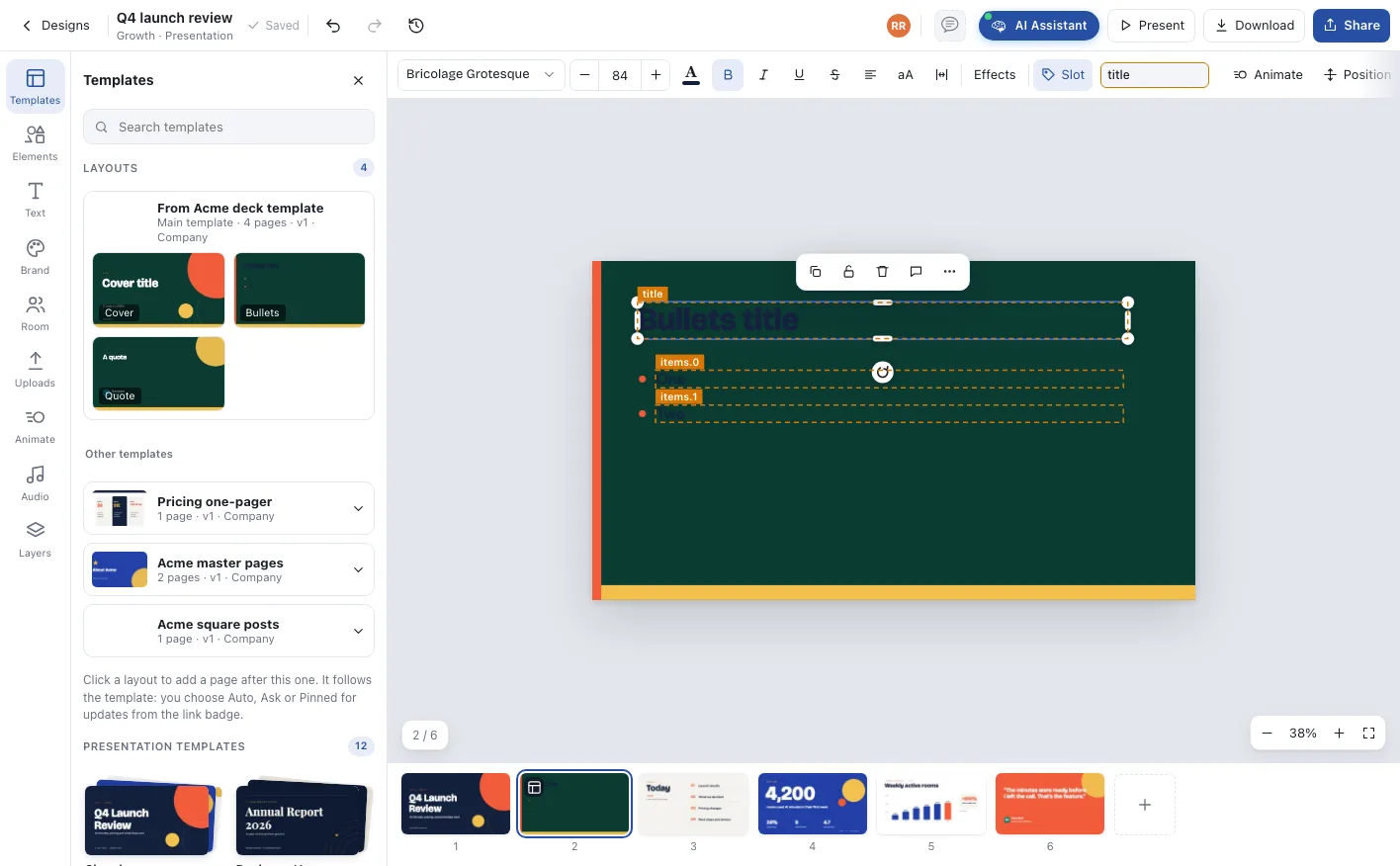
Named places for content. The agent and people fill title, subtitle, body and image; everything else is fixed design.
03
Base layout
Background, logo and frame shared by every layout. Change it once and every layout follows.
Change the template once, every room follows
Pages made from a layout stay linked to it. Publish a new version and the update reaches every page that uses it, keeping the slot content and anything people added.
Auto
Updates apply as soon as the template is published again.
Ask
The default. The page shows the update and someone accepts it.
Pinned
The page stays on its version until someone moves it on.
Detach from layout keeps the page exactly as it is and stops future updates. Layout pages are never locked: people edit them freely.
Good designs become everyone’s templates
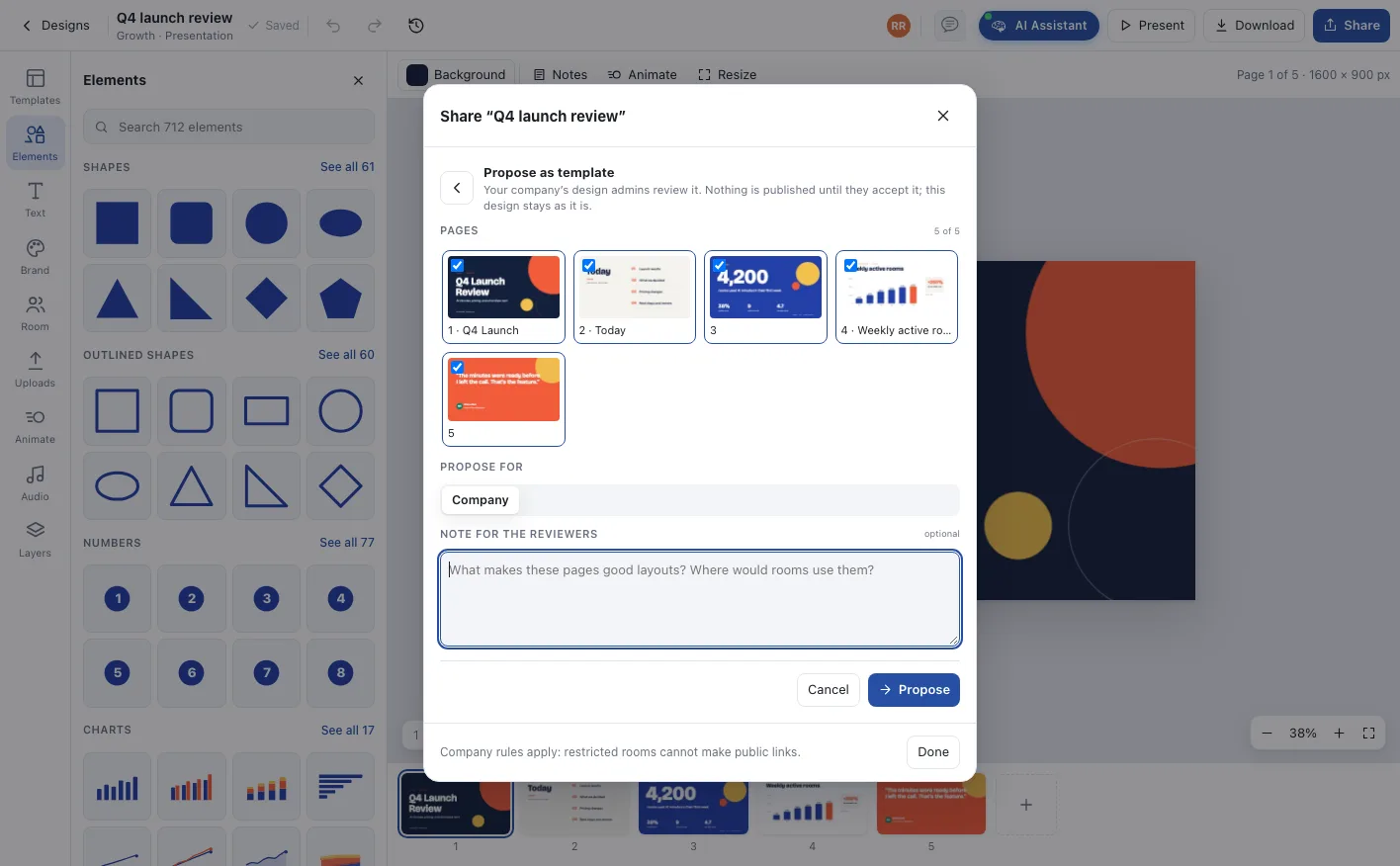
The best layouts are often made in a room, not by the brand team. Any room can propose a design, and design admins decide.
- 1
Propose
From any room’s Share menu: pick the pages, choose company or department, leave a note.
- 2
Review
Design admins see the proposal in Company designs with every page.
- 3
Accept as template
A new template is made in the company or department knowledge base, its pages slotted.
- 4
Publish
To the whole company or chosen departments. The room’s own design stays as it is.
Your templates, alongside Qik’s
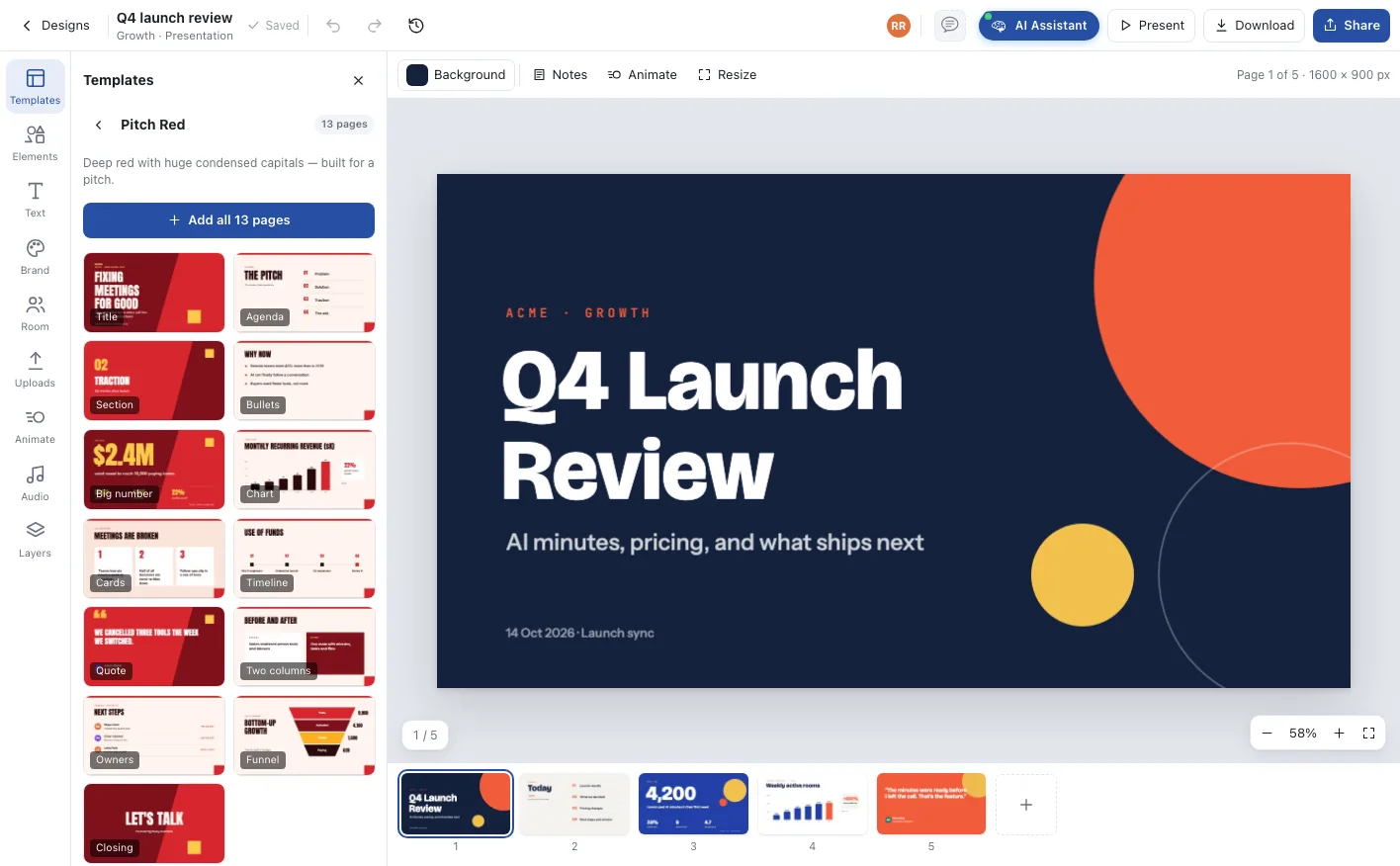
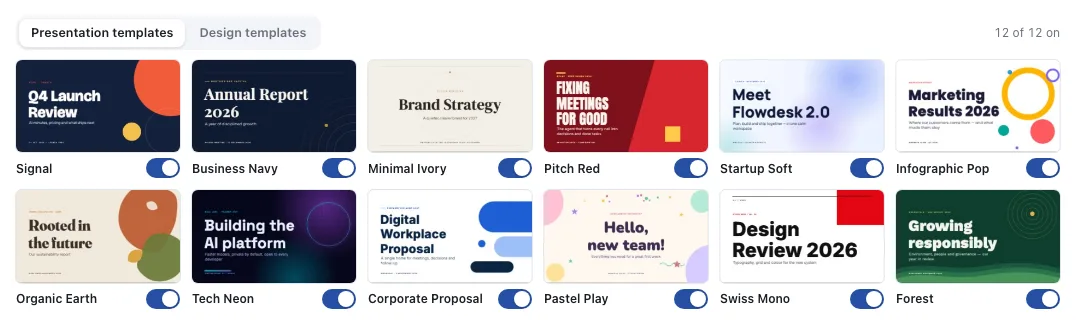
Company templates reach every room. Departments you switch on can own templates of their own. And Qik’s twelve presentation themes and thirty-seven design templates are there too, each one on or off for your company.
Company templates
Published from the company knowledge base to every room or chosen departments.
Department templates
Off by default. Switch a department on and it publishes its own and reviews its rooms’ proposals.
Qik templates
Twelve themes and thirty-seven templates, on unless your company switches them off.
The agent designs in your templates first
When a room has company templates, the agent reaches for them before any built-in theme and picks the right layout for each page.
- 01
A layout for each page
A number goes on a big-number layout, people on an owners layout, a quote on a quote layout, each filled through its named slots.
- 02
Change layout, keep the content
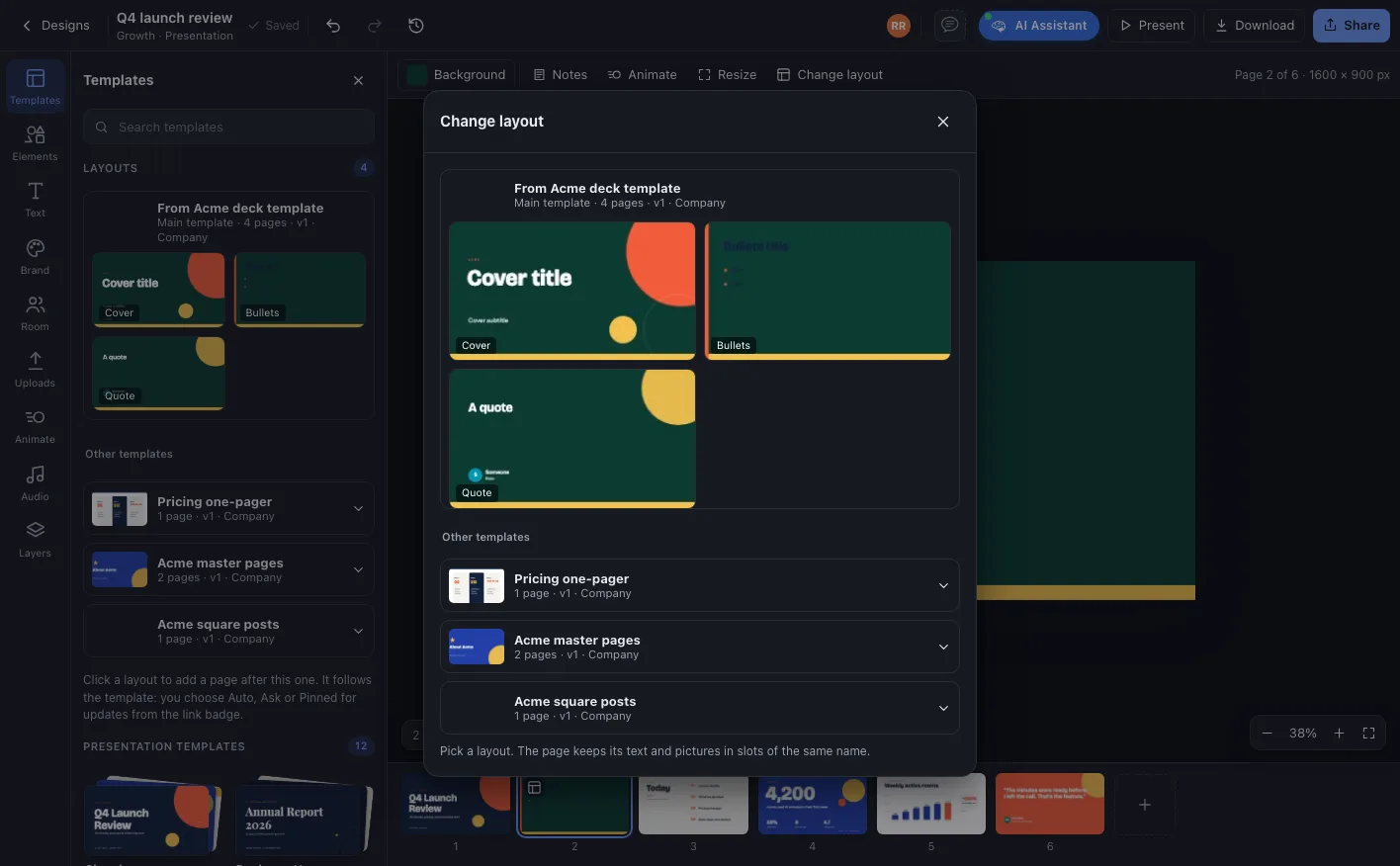
Ask for a different layout and the page is rebuilt from it, with the text and pictures moved into slots of the same name.
- 03
Proposes new templates
A design that works in one room can be proposed as a template, with the pages chosen and a note for the reviewers.
Layouts, slots and updates that reach every room
A template is an ordinary design with a few extra powers, owned by the company or a department.
Layout pages
Every page of a template is a layout. Add one as a new page, or start a whole design from the template’s starter pages.
Slots
Mark any text, photo or image as a slot with a name like title, subtitle or image. Everything else is fixed design.
Base layout
One page carries the background, logo and frame that sit under every layout, so a change there changes them all.
Updates on publish
Publish a new version and rooms receive it, automatically, after asking, or pinned. Slot content and added objects stay.
Company and departments
Company templates reach every room. Departments you switch on can publish their own and take proposals from their rooms.
Qik templates on or off
Keep the twelve presentation themes and thirty-seven design templates, or switch off the ones your company does not use.
From one good design to the company standard
Templates grow out of the work rooms already do.
A room makes a design
The team and the agent build a deck or post that works.
It is proposed
Pick the pages, add a note and propose it to the company or the department.
Design admins publish it
Accepted as a template, its pages become layouts with slots, published to an audience.
Every room builds on it
Rooms and agents use its layouts, and each new version reaches them as an update.
Who runs on Custom design templates
One look across every launch
Social, webinar and launch templates keep every team on the same grid, type and colour, whoever makes the post.
The pitch deck, kept current
Update the pricing page in the template once, and every account room’s deck gets the new version to accept.
Their own, within the company
HR keeps letter templates, Finance keeps report templates, each published by the department and built on the company brand.
One company, one office, one shared state
Custom design templates, answered
Company owners, admins and design admins publish templates from the company knowledge base. Departments you switch on can publish their own. Any room can propose a design as a template.
Publishing a new version sends the update to every page that uses it. Each room chooses auto, ask or pinned, and the update keeps the page’s slot content and anything people added.
Yes. Layout pages stay fully editable. Detach from layout keeps everything and simply stops future updates.
A neutral template restyles itself to each room’s brand kit. A template locked to its kit keeps its own brand, and the editor asks before restyling it.
Yes. Company designs lists all twelve presentation themes and thirty-seven design templates with an on or off switch for each.
Deploy AI project managers across your office
Unlimited agentic rooms and AI project managers on every plan. Start free, or walk through your office with us.