Your brand, set once, in every room and every agent
A brand kit holds your colours, fonts, logos, voice and rules. Publish it to the company or to departments, and every design the agent makes is on brand from the first page, with each new version arriving in every room as a restyle to accept.
Restyle this deck in our Acm
Asking the agent…
Colours with jobs, fonts with a voice
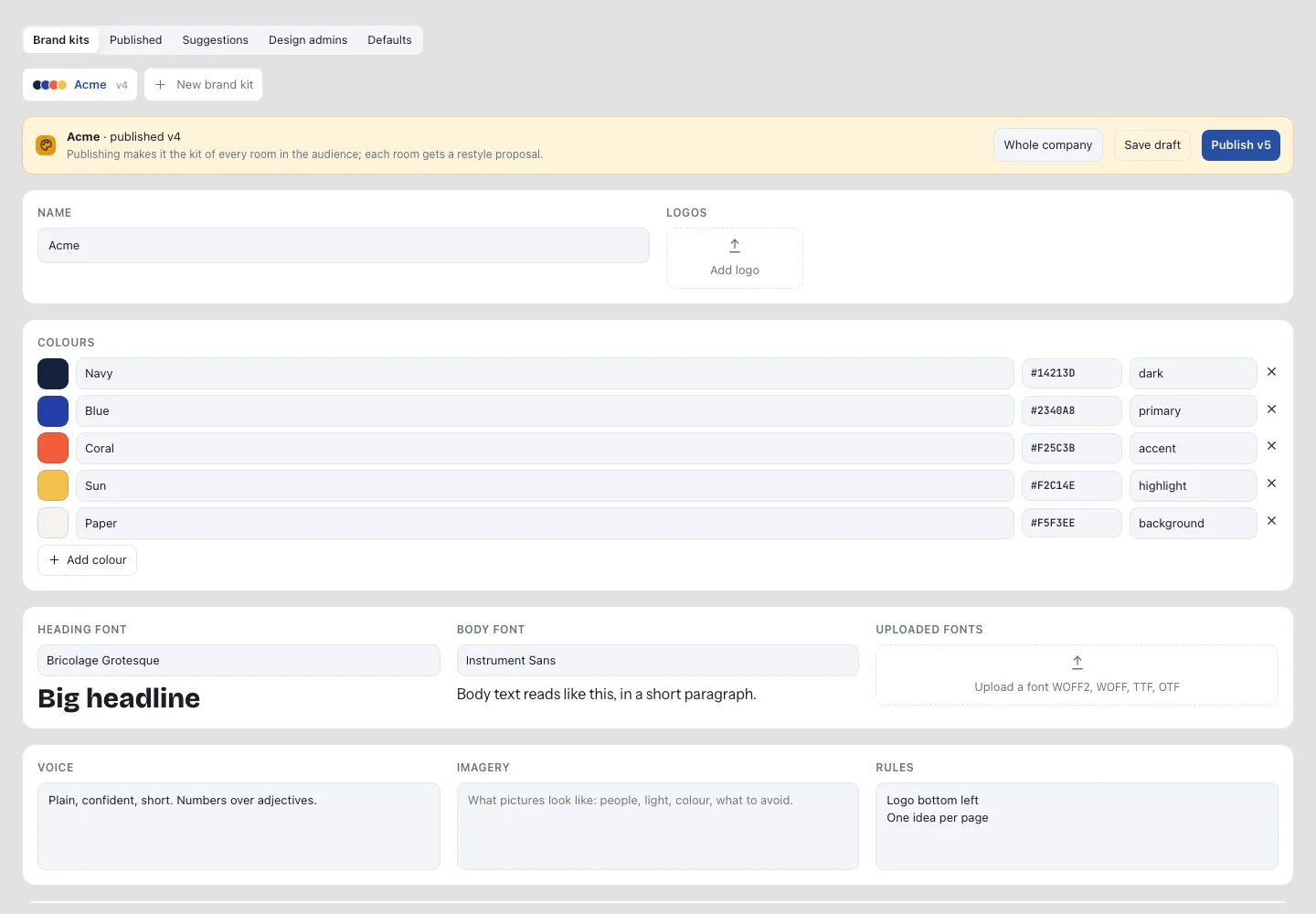
A kit tells the agent what each colour is for, which fonts to set, which logo to use, and how your company writes.
Navy
dark
Blue
primary
Coral
accent
Sun
highlight
Paper
background
Fonts
Heading and body, plus uploaded fonts.
Logos
Variants for light and dark.
Voice & imagery
How you write and what pictures look like.
Rules
“Logo bottom left.” “One idea per page.”
One version for the whole company, rolled out as proposals
Save a draft, then publish a version to the whole company or chosen workspaces and departments. Every room in the audience gets its designs restyled as a proposal, never overwritten.
Brand colours only
The colour picker offers kit colours only.
Brand fonts only
Text uses the kit’s heading and body fonts.
Fixed logo
The logo stays where the kit puts it.
Department kits
Allow or refuse kits that extend the company kit.
Brand kits are managed by company owners, admins and the design admins they appoint, in Company settings › Company designs.
The kit is the first thing every editor sees
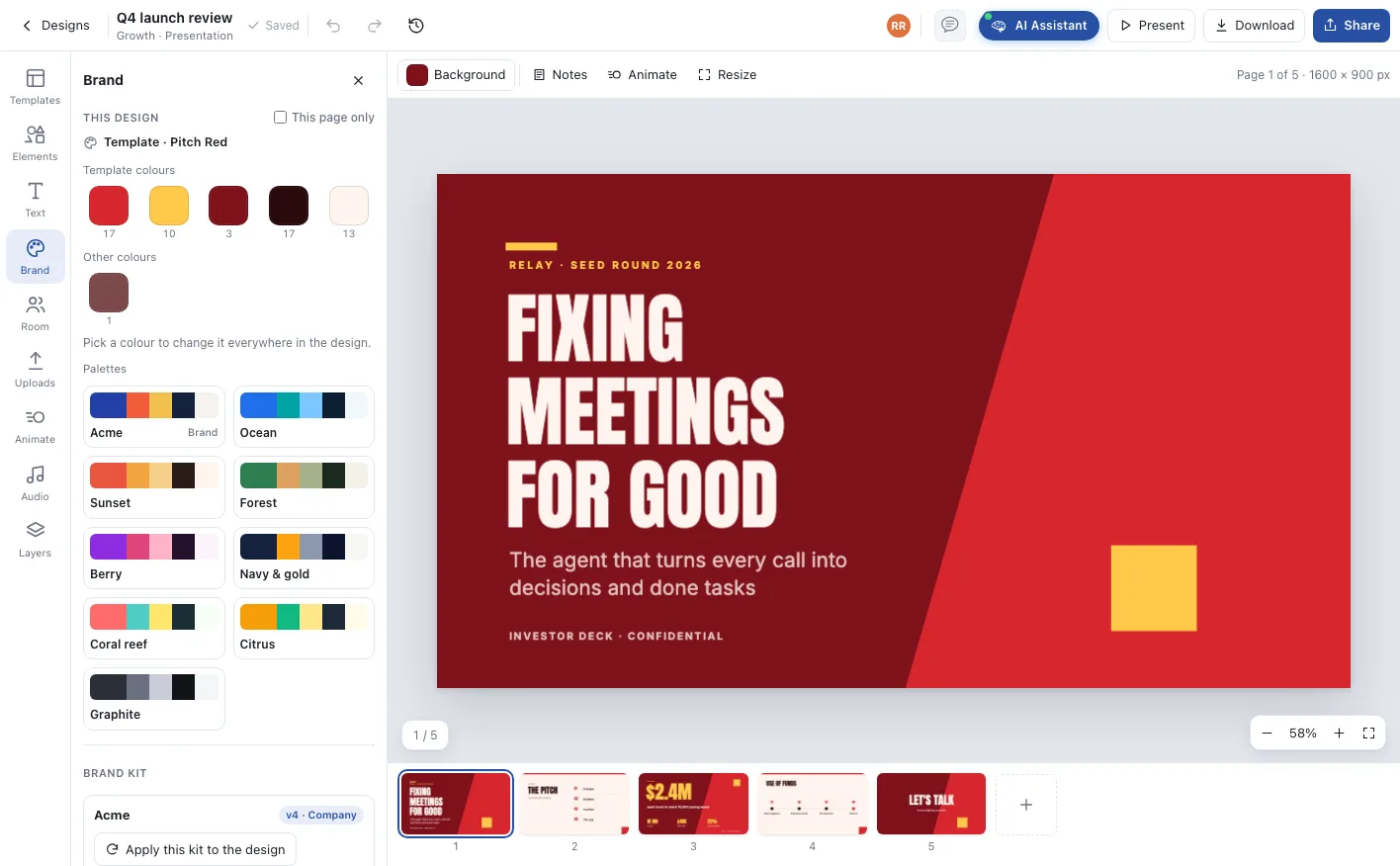
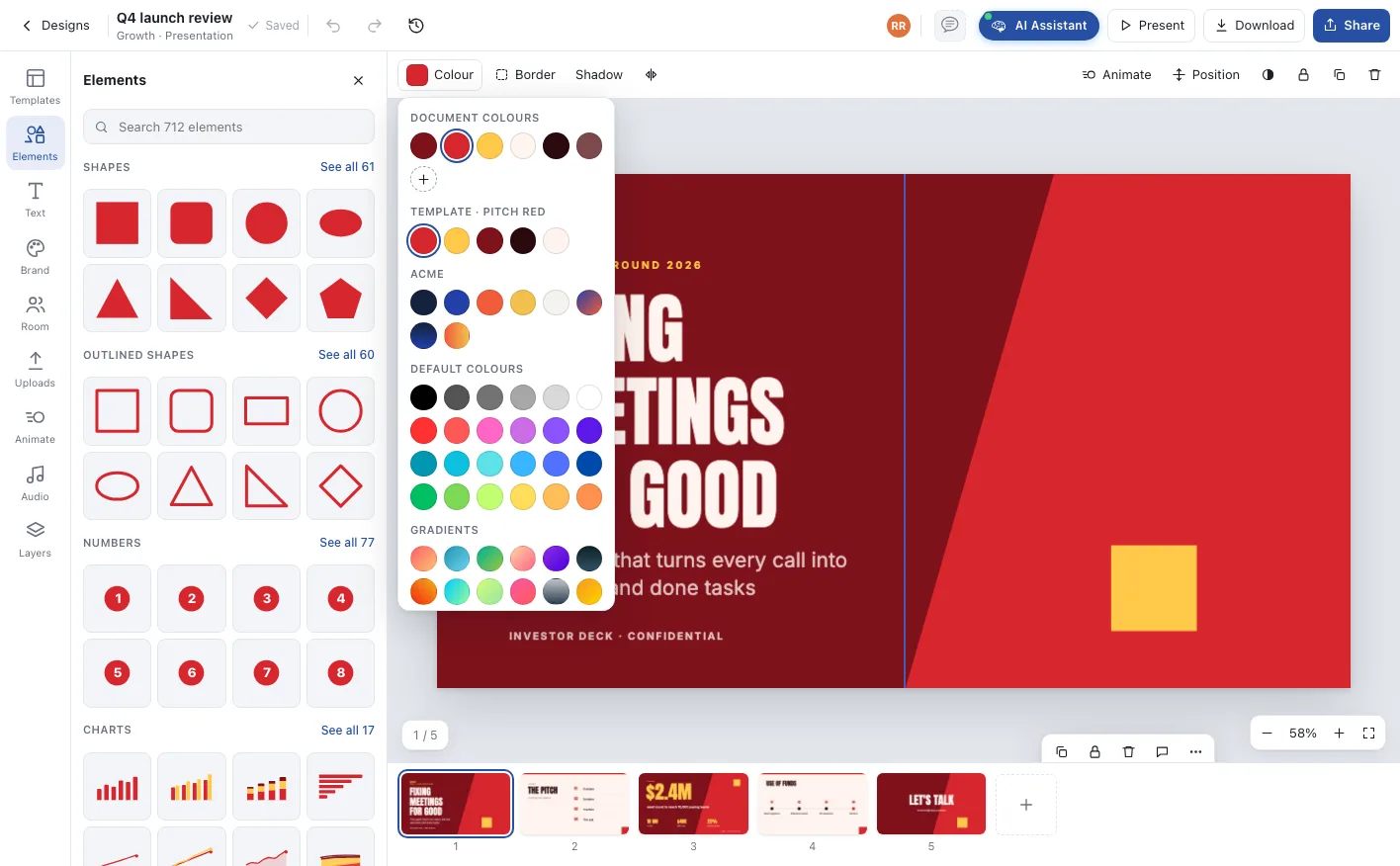
The Brand drawer shows the design’s colours with how often each is used, swaps one everywhere in a click, and applies the kit to the whole design. The colour picker puts the kit right under the document’s own colours.
Brand drawer. Replace a colour everywhere, switch palettes, or apply the kit.
Colour picker. Document, template and kit colours first; new elements start in the kit.
A rebrand, one request at a time
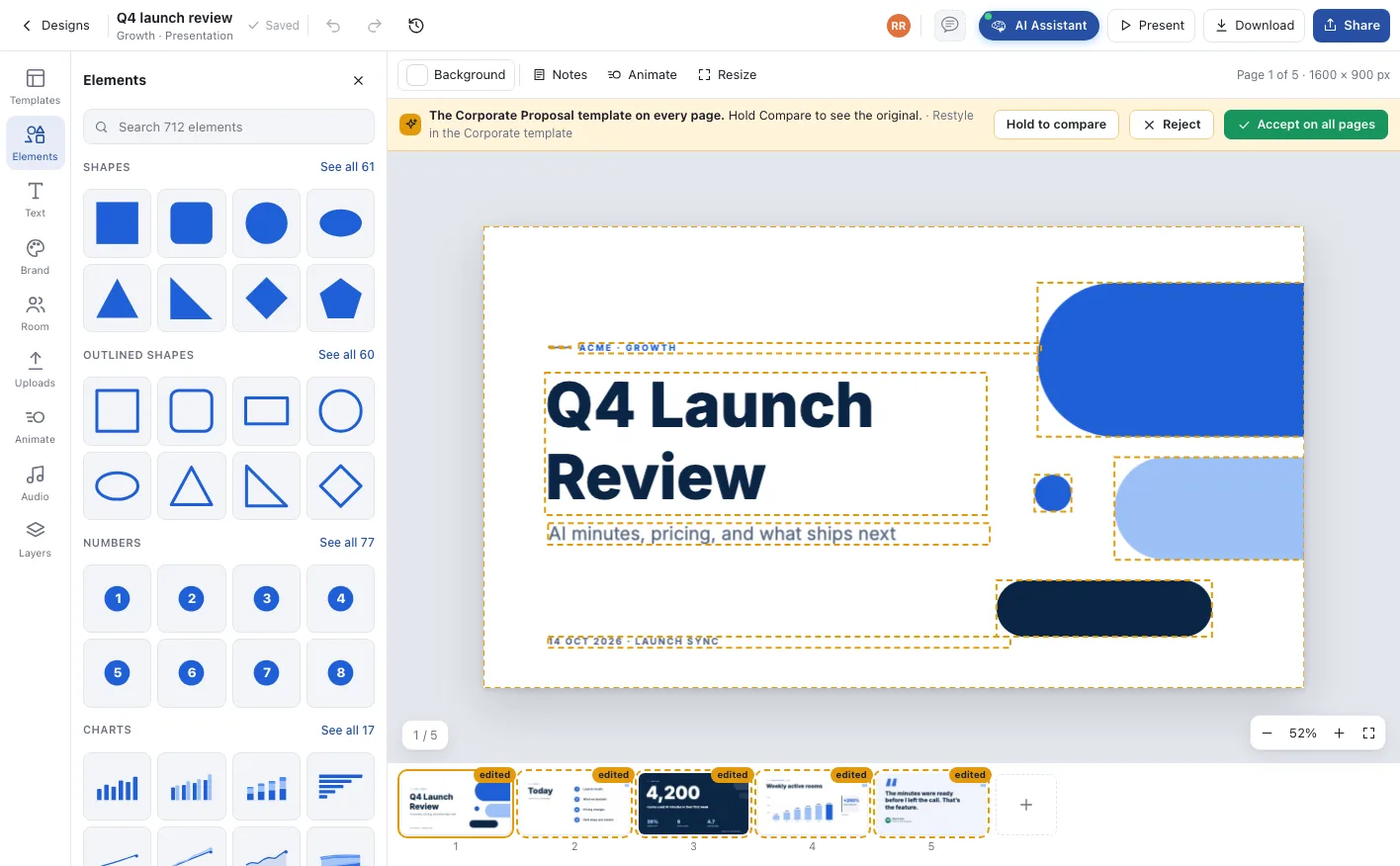
Ask the agent to restyle a design in the kit. Every page arrives as a proposal: hold to compare with the original, accept on all pages or reject.
Agents that design in your brand
The room’s brand kit is part of the agent’s context, so on-brand is the starting point rather than a final check.
- 01
Colours with roles
The agent knows which colour is primary, accent, highlight and background, and uses each one where it belongs.
- 02
Your voice in the words
The kit’s voice and rules shape the copy the agent writes on every page, as well as the look.
- 03
Restyle in one request
Ask for the brand kit and the agent proposes every page restyled to it, ready to accept on all pages or review one by one.
Everything that makes your work look like yours
Set in Company designs by owners, admins and design admins.
Colours with roles
Dark, primary, accent, highlight and background, with names and hex values, used by the agent and offered first in every colour picker.
Fonts
A heading and a body font from the library, plus your own uploaded fonts in WOFF2, WOFF, TTF or OTF.
Logos
Logo variants for light and dark backgrounds, placed by the agent and fixed in place when you lock them.
Voice, imagery and rules
How you write, what pictures look like, and rules such as “logo bottom left” or “one idea per page”.
Published to an audience
The whole company or chosen workspaces and departments, with versions. Each room gets a new version as a restyle proposal.
Brand locks
Limit colours and fonts to the brand, fix the logo, and decide whether departments may keep kits of their own.
From the brand book to every page
The kit travels with the work, room by room.
Set the kit
Colours, fonts, logos, voice and rules in Company designs, starting from the company colour and logo.
Publish it
Choose the audience and publish a version.
Rooms restyle
Every room in the audience gets a restyle proposal for its designs.
Agents stay on brand
Every new design starts in the kit, and locks keep it there.
Who runs on Brand kits
A rebrand in an afternoon
Publish the new kit and every room receives its designs restyled, to accept on all pages or review page by page.
One parent, many brands
Departments and business units keep kits that extend the company kit, under the locks the company sets.
On brand without trying
People who never open a brand book make posts and decks that look right, because the agent and the colour picker start from the kit.
One company, one office, one shared state
Brand kits, answered
Company owners and admins, and the design admins they appoint, in Company settings › Company designs.
Nothing changes without a person. Publishing a new version gives each room a restyle proposal to accept on all pages or review one page at a time.
Yes, when the company allows it. A workspace or department kit extends the company kit and follows the company’s brand locks.
Yes. Brand locks limit colours and fonts to the kit and can fix the logo in place. The colour picker then offers kit colours only.
No. Without a kit, new designs use the company colour and its tones, and a new kit starts from the company colour and logo.
Deploy AI project managers across your office
Unlimited agentic rooms and AI project managers on every plan. Start free, or walk through your office with us.